

Stop chasing carrier claims by hand
Most freight audit tools tell you where you were overcharged and stop. Our Dispute Agent takes the overcharge, turns it into a claim the carrier can act on, tracks their response, and matches the credit note back to the shipment when it arrives.
What does the manual claim process actually cost you?
The usual process is export to Excel, attach the invoice PDFs, write the email, send it, then wait. Nobody chases consistently, so claims quietly expire. One Swiss machinery manufacturer eliminated over 263 hours a year of manual invoice handling in our air and parcel freight audit.
How does automated claim filing work?
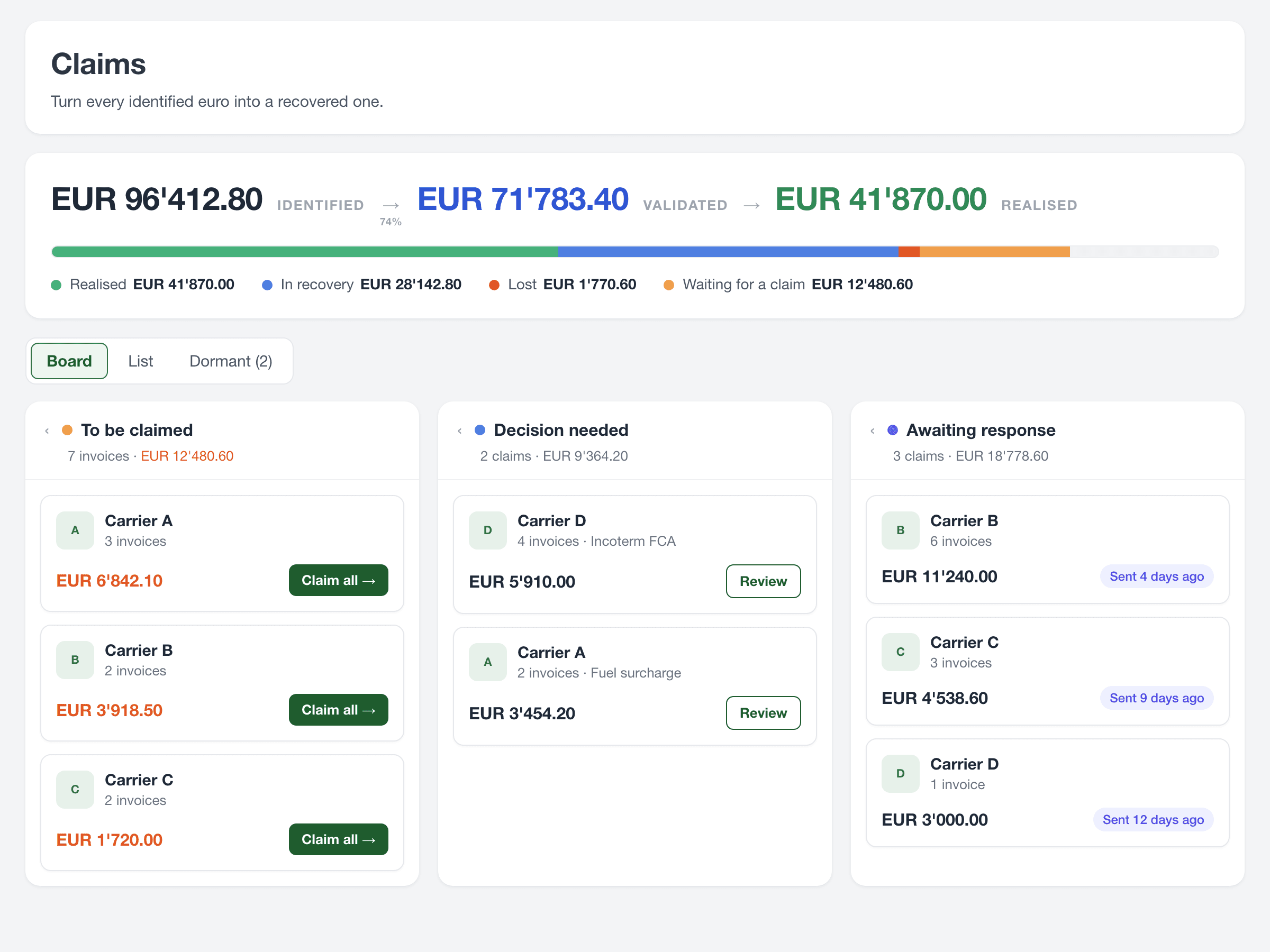
Once an overpayment is detected, Intellyse builds the claim for you. It assembles the supporting invoice detail, applies the claim rules you have set for that carrier, and sends it. Configure it for full autonomy or require your approval first, the same way the dispute workflow already works.
From there every claim is tracked to its outcome. You see what is still with the carrier, what has been accepted or refused, and what has come back as a credit note, without anyone maintaining a separate spreadsheet.
Can it follow our own claim rules per carrier?
Yes. You describe your claim workflow in plain language and the Agent extracts the contacts and rules from it, then applies them in every carrier thread and every claim it builds. Shipment-splitting logic and Incoterm rules can both be configured this way.
How are credit notes tracked?
Every credit note stays linked to the claim and the shipment it came from, so the trail from overcharge to recovery is never broken. When a credit note arrives, Intellyse matches it back to the original shipment and counts it as realised savings rather than a projection.
That matters because credit notes are the only unarguable proof of recovery. Identified savings are a projection. A credit note is money back.
Does it work before payment as well?
That depends on where Intellyse sits. Where you keep your existing payment process and we run on top, the check happens after payment and the Dispute Agent works with credit notes. Where we are integrated into your invoice workflow, the check happens before payment: the carrier cancels the wrong invoice (storno) and issues a corrected one, so the Dispute Agent tracks cancellations and reissued invoices instead of credit notes.
You keep your existing payment process. The Dispute Agent works with credit notes.
The carrier cancels the wrong invoice (storno) and reissues a corrected one. The Dispute Agent tracks both.